
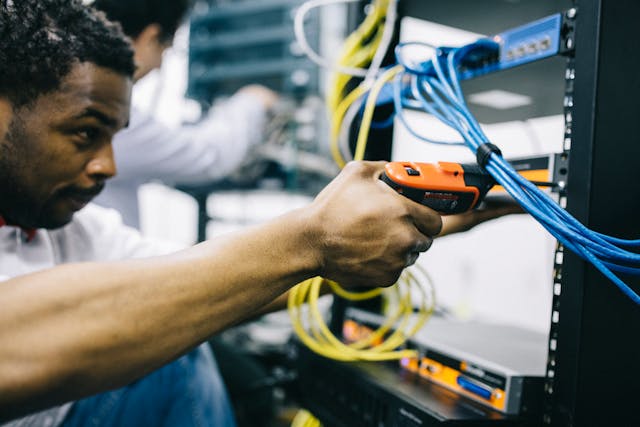
Business operations are becoming more connected every year. A single workday may depend on cloud software, shared files, remote access, digital phones, payment systems, customer portals, security cameras, inventory tools, staff devices, and automated reporting. When everything works, the business feels faster and more organized. When one part fails, the disruption can spread quickly across departments.
That is why IT maintenance and support are no longer just technical extras. They are part of how modern businesses stay open, responsive, and ready for daily work. The future of connected operations will depend on stronger support systems that prevent problems, protect data, and keep people working without constant interruptions.
Connected Operations Need More Than Occasional Tech Help
Many businesses used to call IT only when something broke. A computer would freeze, a printer would stop working, or the internet would go down. Someone would come in, fix the issue, and the business would move on. That reactive model is becoming harder to manage because today’s systems are tied together.
A slow network can affect phones, payment tools, file access, customer service, and scheduling at the same time. A weak password can put email, cloud storage, and business accounts at risk. A missed software update can create security gaps or cause compatibility issues across several tools. Small problems no longer stay small for long.
Future IT support will focus more on prevention. Regular monitoring, updates, backups, device checks, and security reviews will become normal parts of business operations. The goal will be to stop disruptions before staff members feel them.
Cloud Systems Make Support More Important, Not Less
Cloud tools have made business software easier to access from different locations. Teams can work from offices, homes, job sites, warehouses, and mobile devices. Files can be shared quickly. Managers can check reports without sitting at one computer. Customers can receive faster updates.
Still, cloud systems do not remove the need for IT support. They create a different kind of support need. Someone still has to manage user access, passwords, permissions, backups, device setup, integrations, and security settings. A business may use several cloud platforms at once, and those platforms need to work together properly.
Problems can appear when employees leave the company, roles change, or teams start using too many disconnected tools. Old accounts may stay active. Sensitive files may be shared too widely. Staff may save information in the wrong place. IT maintenance helps keep cloud use clean, organized, and safer.
Remote and Hybrid Work Will Keep Raising Expectations
Remote and hybrid work have changed what employees expect from business technology. Staff members want access to files, meetings, communication tools, and internal systems from wherever they are working. That flexibility can help businesses hire better, serve customers faster, and reduce delays.
It also creates more points of failure. Home internet, personal devices, weak Wi-Fi, outdated laptops, and unsecured networks can all affect productivity. A worker who cannot connect to company systems may lose hours. A manager who cannot join a meeting may delay decisions. A customer support employee with poor audio or lagging software may create a bad client experience.
IT support will need to cover more than office equipment. It will need to help with secure remote access, device standards, login protection, troubleshooting, and user training. A connected business cannot treat remote workers as an afterthought. Their setup is part of the company’s operating system.
Cybersecurity Will Become a Daily Maintenance Task
Cybersecurity is often discussed only after something goes wrong. That mindset is risky. Connected businesses handle emails, customer data, staff records, payment details, vendor documents, and private files every day. A single weak point can expose the whole operation.
Future IT maintenance will include security as a routine habit, not a special project. This means regular updates, account reviews, backup testing, malware protection, password policies, access controls, and staff awareness. Employees need to know how to spot suspicious links, fake login pages, unusual payment requests, and unsafe file attachments.
Security tools matter, but behavior matters too. Many issues start with simple mistakes. Someone clicks the wrong link. Someone reuses a password. Someone sends a file to the wrong person. IT support can reduce those risks through training, monitoring, and clear internal rules.
Device Management Will Become More Organized
Businesses are using more devices than before. Laptops, desktops, phones, tablets, barcode scanners, printers, routers, cameras, point-of-sale systems, and smart office equipment may all be part of the workday. Each device has updates, settings, security needs, and a useful lifespan.
Poor device management creates hidden problems. Employees may work on outdated systems. Old devices may slow down daily tasks. Lost phones may still have access to business accounts. Broken equipment may sit unused while staff struggle with temporary fixes.
IT maintenance can bring order to this. A business should know which devices it owns, who uses them, when they were purchased, what condition they are in, and when they may need replacement. This helps with budgeting, security, and productivity. It also prevents the common problem of waiting until a device fails before anyone thinks about replacing it.
Automation Will Change the Way IT Support Works
Automation will play a larger role in IT maintenance. Routine checks can run in the background. Systems can flag unusual activity, low storage, failed backups, expired licenses, or devices that need updates. Support teams can receive alerts before users report a problem.
This does not mean IT teams will disappear. It means they will spend less time on repetitive tasks and more time solving deeper issues. Automation can handle reminders, monitoring, ticket routing, system scans, and basic fixes. Human support will still be needed for planning, judgment, security decisions, vendor coordination, and user help.
For businesses, this shift can improve reliability. Instead of waiting for a printer to fail, a system may flag repeated errors. Instead of discovering that backups have not worked for months, IT can receive an alert after the first failed backup. Better visibility leads to faster action.
Data Backup and Recovery Will Decide How Fast Businesses Bounce Back
Connected operations produce a lot of data. Customer records, invoices, project files, emails, reports, contracts, designs, and internal notes all need protection. Losing that data can damage trust, delay work, and create serious financial stress.
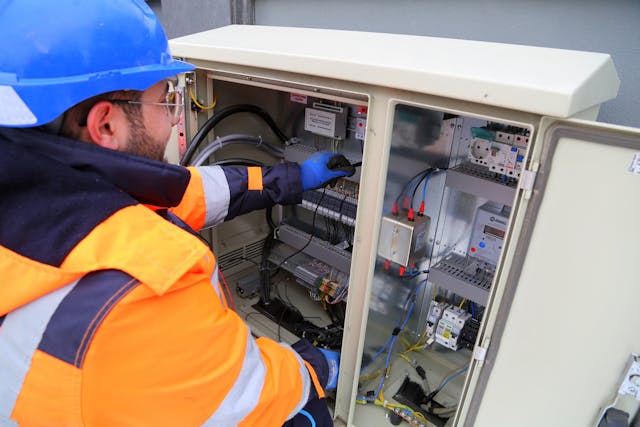
Backups are not enough on their own. Businesses also need to know whether backups actually work. A backup that cannot be restored during an emergency is not useful. Future IT support will place more focus on testing recovery plans, not just setting up backup tools.
A strong recovery plan answers practical questions. Which files are most important? How quickly can the business restore access? Who contacts support during an outage? Where are backup copies stored? Which systems must come back online first? These details matter when time is tight.
Customer Experience Depends on Reliable IT
Customers rarely see a company’s IT systems directly, but they feel the results. They notice when phone lines are down, appointments are missed, emails go unanswered, payment systems fail, or staff cannot find their records. A technical problem quickly becomes a customer service problem.
Connected operations can improve service when maintained well. Staff can access accurate information faster. Orders can be tracked more easily. Appointments can be confirmed automatically. Customer messages can be routed to the right person. Reports can help managers spot delays before clients complain.
IT support helps keep those systems dependable. A business that wants better customer experience cannot ignore the technology behind it. Clean systems, fast devices, stable networks, and secure access all support smoother service.
Small Businesses Will Need Stronger IT Habits
Large companies often have dedicated IT departments. Small businesses may rely on one tech-savvy employee, an outside provider, or occasional help. That can work for a while, but connected operations make weak IT habits more risky.
A small business may use online booking, cloud files, payroll software, email marketing, accounting tools, customer databases, and mobile devices. That is a lot to manage without a plan. Problems may build quietly until something breaks.
Small businesses will need practical IT routines. Regular updates, password management, device tracking, backup checks, and security reviews should become normal. Outside IT support can help fill the gap when hiring a full-time team is not realistic. The right support partner can bring structure without making things overly complicated.
Communication Between IT and Staff Will Matter More
Technical support works best when employees feel comfortable reporting issues early. Many staff members wait until a problem becomes unbearable because they do not want to seem difficult or waste anyone’s time. That delay can make repairs harder and downtime longer.
Future IT support will need better communication. Employees should know how to report problems, what details to include, and when an issue is urgent. Support teams should explain fixes in plain language so staff understand what happened and how to avoid repeat problems.
Good communication also helps during system changes. When new software, devices, or security rules are introduced, employees need clear guidance. Confusion leads to shortcuts, and shortcuts can create security or productivity issues.
Vendors, Software, and Integrations Will Need Closer Management
Most businesses now rely on several outside platforms. One tool may handle accounting. Another may manage customer records. Another may support scheduling, payroll, communication, or marketing. These systems often need to share information.
When integrations work, they save time. When they fail, data may be duplicated, lost, delayed, or entered incorrectly. Staff may start using manual workarounds, which create more errors.
IT support will play a bigger role in managing vendors and integrations. Someone needs to track renewals, permissions, support contacts, updates, and compatibility. A connected business cannot simply add software without thinking about how it fits into the rest of the operation.
Future IT Support Will Be More Strategic
The future of IT maintenance is not just fixing equipment. It is helping businesses make better technology decisions. Should a company replace old devices now or wait? Should it move more systems to the cloud? Does it need stronger security? Are employees wasting time because tools do not connect properly? Which systems create the most complaints?
These questions affect cost, growth, and daily performance. IT support can help business owners see where technology is helping and where it is slowing people down. That advice can prevent wasteful spending and reduce frustration.
A good support plan connects technology choices to business goals. A growing company may need scalable systems. A service business may need stronger mobile access. A retail operation may need more reliable point-of-sale support. An office team may need better file organization and meeting tools.
Connected Businesses Need Stability Behind the Scenes
A connected business can feel smooth on the surface, but that smoothness depends on constant behind-the-scenes care. Networks need monitoring. Devices need updates. Accounts need management. Backups need testing. Security needs attention. Employees need support.
IT maintenance and support will become a normal part of running a dependable business. Companies that treat technology as an active operating system will be better prepared for growth, remote work, customer demands, and security risks.
The future will not reward businesses that wait for things to break. It will favor those that keep systems healthy, protect access, and support employees before technical problems interrupt the workday. For connected business operations, strong IT support is not a luxury. It is part of keeping the business moving.